How much inventory do you actually need? Enough to avoid running out, but not so much that your cabinets and warehouses are filled with materials you won't be using anytime soon.
That is exactly what min-max inventory management is all about. You determine in advance when an item needs to be replenished and how much you want to order. This means you don't have to constantly go through your inventory yourself to determine what is running low.
What is min-max inventory management?
With min-max inventory management, you determine two important levels for each inventory item: the minimum and maximum stock levels.
The minimum stock level indicates when it is time to reorder an item. The maximum stock level indicates how much you want to have in stock at most.
Suppose you want to keep a minimum of 5 and a maximum of 15 units of an item in stock. As soon as the inventory falls below the set minimum, you know that the item needs to be replenished.
The goal is simple: keep enough inventory available without putting unnecessary amounts of material on the shelf.
Why not just order some extra?
Ordering a few extra boxes often feels like the safest choice. After all, it reduces the chance of running out.
But if you do this for dozens or hundreds of items, your inventory can grow without you realizing it. More money is tied up in materials, you need more storage space, and the chance increases that items will remain unused for a long time.
Having too little inventory is inconvenient, but consistently having too much inventory is not ideal either.
By consciously determining a minimum and maximum, you can find the inventory level that matches actual usage.
Not every item needs the same inventory level
You don't have to set the same minimum and maximum inventory levels for every item.
An item that is used every day will likely require different inventory levels than a component that is only needed a few times a year. Lead time also plays a role. A product that your supplier can deliver quickly may not need to be kept in as large a quantity as an item with a long lead time.
In addition, the same inventory item may be used differently at different locations.
For example, an item may move quickly in the central warehouse, while only a few units are needed at another location. That is why it is important that your inventory levels are aligned with actual usage at that location.
From inventory levels to order advice
Simply setting a minimum and maximum inventory level does not solve everything, of course. You also need to know when an item reaches that threshold.
This is where digital inventory management can help.
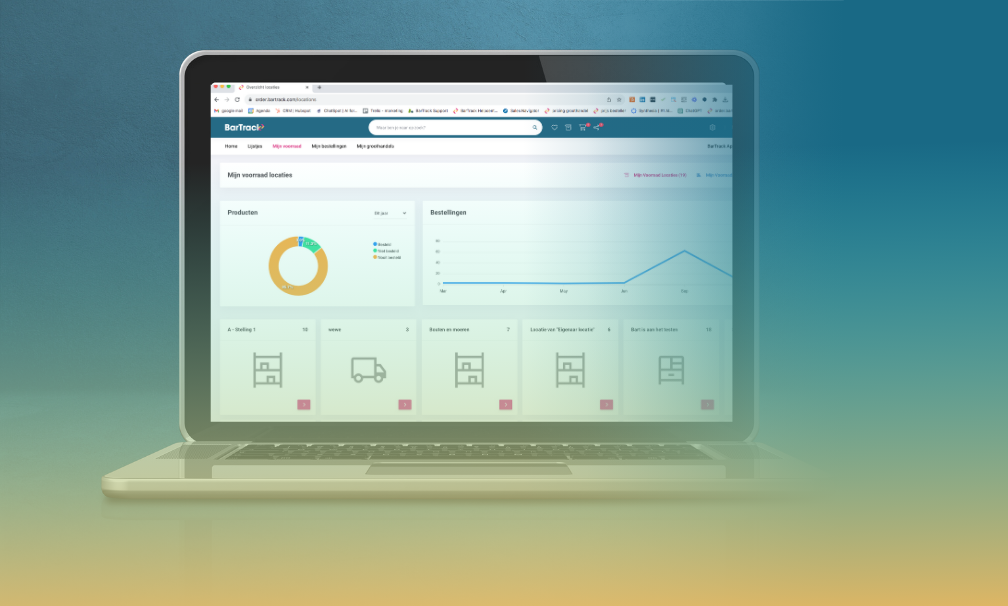
In BarTrack, you can set a minimum, maximum, and fixed order quantity for each inventory item and inventory location. When the current inventory falls below the set minimum, the item is automatically added to the order list.
This means you don't have to check every shelf to find out what is running low. The system helps you determine where action is needed.
You set the order quantity in advance. For example, if you have a minimum of 5 and a maximum of 15, you can set a fixed order quantity of 10.
This makes checking inventory a much more predictable process.
You decide when to place an order
The fact that an item falls below the minimum inventory level does not mean that an order has to be placed immediately.
You can check the order list first and then decide for yourself when to place the order. This is useful, for example, when you want to combine orders or first check what is actually needed.
But you can also automate the process further.
In BarTrack, you can set orders to be automatically placed on specific days and at specific times. This means your inventory can change throughout the week, while you have the required items ordered at a fixed time, for example.
This not only saves time. It also prevents inventory management from depending on someone remembering to check the inventory.
The right inventory level changes over time
A minimum and maximum inventory level is not something you set once and then never look at again.
Usage changes.
Perhaps a particular material is being used more and more often. Another product group may gradually disappear from your organization. Seasons, new activities, or changing customer demand can also affect what you need.
That is why you should not see min-max inventory management as a fixed system, but as a tool that you adjust from time to time.
If you regularly run out of an item despite your set minimum level, the level may be too low. If many items consistently remain in stock, it may be time to adjust the inventory level downward.
And what if your supplier helps with replenishment?
You don't always have to manage your inventory entirely on your own.
When you work with a BarTrack-connected wholesaler or supplier, they can use BarTrack to help keep your inventory at the right level. This can be useful for items that you regularly purchase from the same supplier.
You then shift part of the inventory management process from checking and ordering to monitoring and replenishing.
This principle is also known as Vendor Managed Inventory (VMI). How far you take it can vary from one partnership to another. We will explore this in more detail in a future blog.
Check less, order more efficiently
Ultimately, min-max inventory management is not about automating as much inventory as possible. It is about making the right decisions in advance.
When do you want to take action? How much inventory do you want to keep? And how much do you want to replenish when the time comes?
Once you have made those decisions and keep track of your current inventory digitally, you no longer need to manually check as often what needs to be ordered.
In a way, your inventory tells you when it is time to take action.
In short
With min-max inventory management, you determine in advance the minimum and maximum quantity of an item you want to keep in stock. Once the inventory falls below the minimum, you know that replenishment is needed.
In BarTrack, you can set a minimum, maximum, and order quantity for each inventory item and location. Items that fall below their minimum appear on the order list. You can review and place these orders yourself or have them automatically placed at set times.
This prevents you from having to constantly check your inventory manually and allows you to gradually work towards inventory levels that better match what you actually use.


 Bart Grol : Dec 27, 2023, 3:30:00 PM

.png)