

No new way of working, just a smarter one
 Joelle Hablé : Aug 17, 2026, 12:36:41 PM
Discover how BarTrack makes inventory management smarter without changing the way you work. Choose how you scan, order, and manage your inventory.
You’re standing in front of your shelf, you know what’s there, yet your inventory management still takes more time than it should. What many people don’t realize: you don’t need to organize everything perfectly before starting with BarTrack. You can simply begin right where you are. In this blog, you’ll discover three practical ways to set up your inventory with BarTrack, tailored to your situation.
Many companies delay getting started because they think their warehouse first needs to be “perfect.” In practice, that actually works against you. By starting right away:
You simply build your inventory structure as you go.
Before you start linking items, it’s smart to get two things in place first:
You can do this most efficiently via BarTrack for Web or BarTrack for Desktop. After that, you can continue on the shop floor using the app.
If your inventory is already logically structured, you can go live quickly. Here’s how:
Result:
You gain immediate insight into your inventory and can easily place orders by scanning.
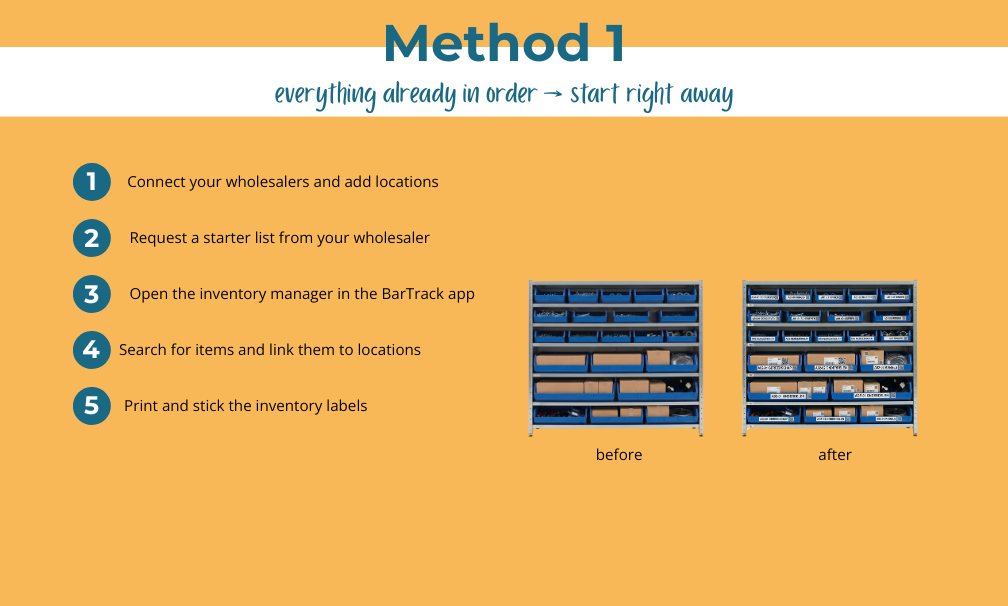
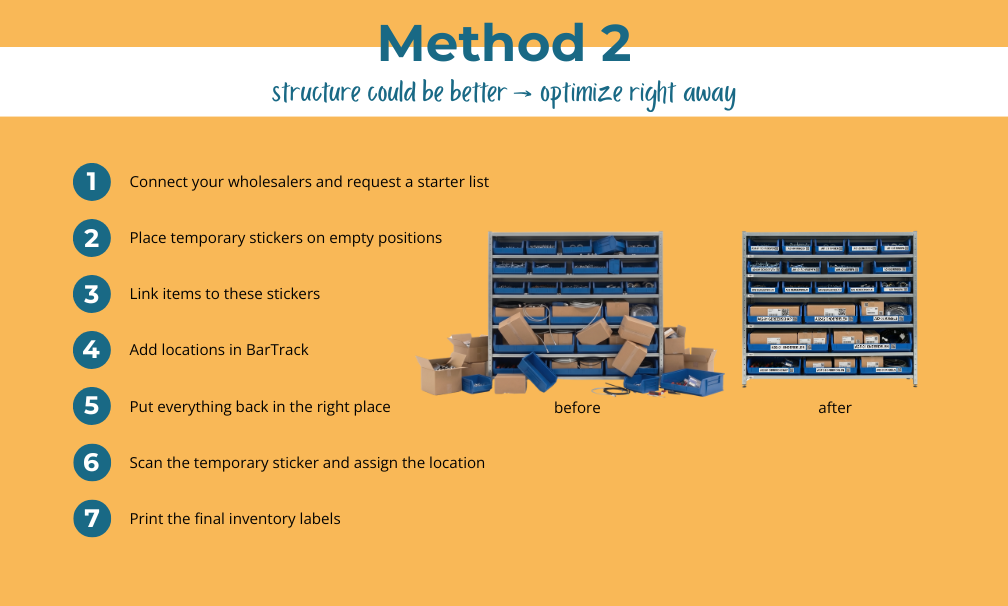
If you know what you have but your layout could be improved, this is the perfect moment to do it properly. Here’s how it works:
Result:
A clear and efficient inventory structure that helps you work faster and reduces errors.
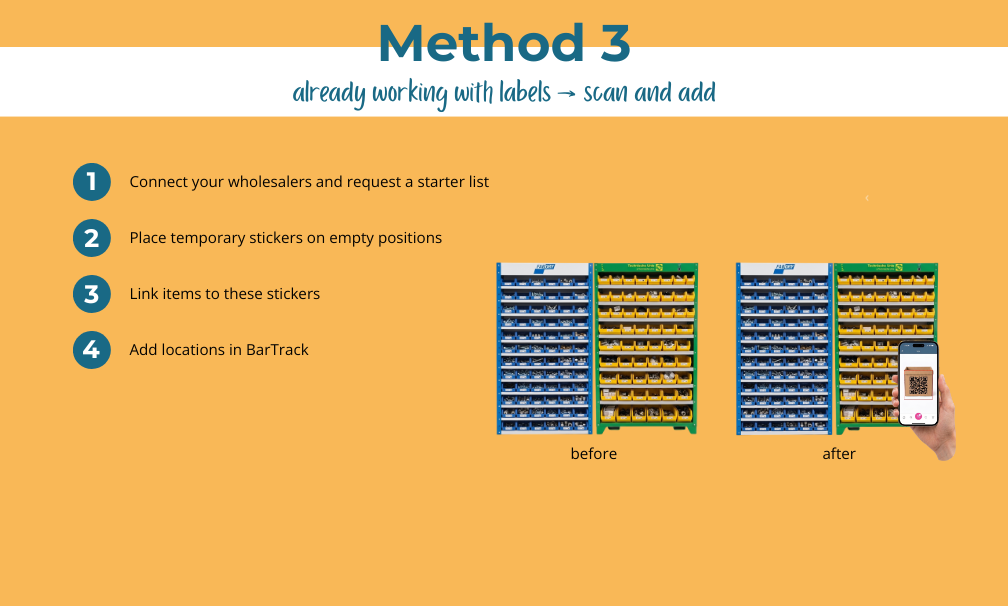
If you already have labels from suppliers like Technische Unie or Fabory, you can get started right away without relabeling. Here’s how it works:
Result:
You quickly build up your inventory in BarTrack without extra work.
Once you’ve finished setting up, that’s where the real benefits begin. Every inventory label you’ve placed becomes part of your daily workflow:
Your inventory is no longer just set up, it becomes an active part of your work process.
The best method is the one you can start with today.
You can also combine these methods.
With BarTrack, you can easily get started with inventory management straight from your shelf. You prepare your wholesalers and locations via Web or Desktop, and then set up your inventory using three methods: start directly, optimize, or use existing labels. Once you’re done, you use inventory stickers to place orders easily and always keep insight into your online stock. The key is simply to start while you’re standing in front of your shelf.
 Joelle Hablé : Aug 17, 2026, 12:36:41 PM
Discover how BarTrack makes inventory management smarter without changing the way you work. Choose how you scan, order, and manage your inventory.

Discover how BarTrack and your wholesaler can work together to achieve smarter inventory management, fewer stockouts, and inventory that always meets...
-1.png)
Solving labor shortages in construction? Smarter processes and better inventory management help companies work more efficiently with the same...