You want more control over your inventory. But as soon as you start looking for software, you quickly come across all kinds of solutions. An ERP system, WMS, inventory software, or perhaps just Excel. What do you really need?
The answer depends not only on the size of your company. Much more important is how materials move through your organization, how many people work with them, and how much administration you want to keep track of.
Start with your material process, not the software
The choice of an inventory management system starts with a simple question: what do you actually want to organize better?
Maybe you mainly want to know how much material you still have in stock. But you may also have multiple inventory locations, regularly order the same consumables, or want to prevent someone from finding that an item is out of stock when they need it. Perhaps you want to link materials to projects, manage inventory in service vans, or make it easier to process orders from different suppliers.
The more material flows you have, the harder it becomes to keep track of everything manually.
That does not automatically mean you need an extensive inventory management system.
When is Excel still sufficient?
For a small, straightforward inventory, Excel can work perfectly well. Especially when only one or two people are responsible for inventory and little changes.
It becomes more challenging when multiple people take or replenish materials. After all, a spreadsheet does not know that someone has just taken three boxes. Someone has to register that manually.
With multiple inventory locations, many items, and recurring orders, the administration also quickly increases. You then spend more and more time keeping your file up to date.
At that point, the question is no longer whether Excel can record inventory. It can do that very well. The question is how many actions are required to keep that record reliable.
What does an ERP system do?
An ERP system goes far beyond inventory management. It connects different business processes, such as administration, purchasing, sales, projects, and finance.
For many organizations, the ERP therefore rightly serves as the central system.
That does not mean it is automatically the most convenient solution for every task on the work floor. For example, an employee standing in front of a shelf and taking an item does not want to go through an extensive administrative process first.
That is why specialized inventory software can be used alongside an ERP. The ERP remains the leading system for the processes it is designed for, while the inventory software makes the daily material process easier. By connecting systems, you avoid having to enter the same information multiple times.
When do you need a WMS?
A Warehouse Management System, or WMS, is designed to manage warehouse processes. This includes extensive processes related to receiving, storage, order picking, transfers, and shipping.
For organizations where complex warehouse logistics are an important part of their operations, such a system can be exactly what they need.
But not every inventory location is a distribution center.
A warehouse at an installation company, a supply cabinet in a dental practice, a technical department within a manufacturing company, or a number of cabinets with consumables all have very different inventory management requirements.
In those situations, an extensive WMS can be unnecessarily complex.
When is straightforward inventory software a better fit?
Between a spreadsheet and an extensive WMS, there is a wide range of options.
For example, you may want to know digitally what is in stock, while employees mainly need to be able to register materials quickly. You want to set minimum stock levels and make ordering easier, without having to set up a complicated warehouse process.
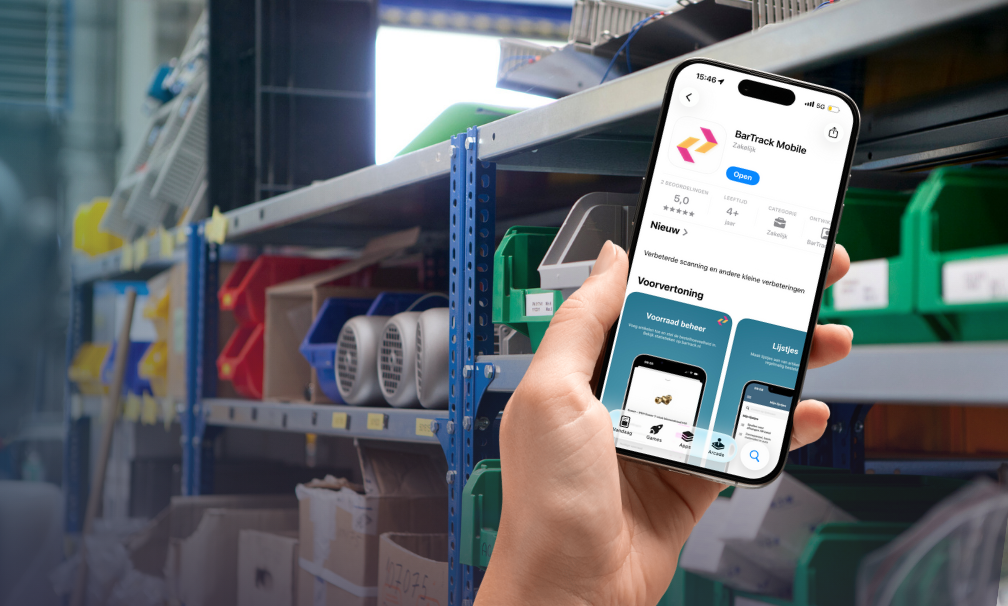
That is where a solution like BarTrack fits in.
With BarTrack, you can set up inventory locations digitally and register items using barcodes. You can keep track of inventory levels, set minimum and maximum stock levels, and process orders directly from the system.
This can be in a warehouse, but just as easily in a service van, practice, production facility, or supply cabinet.
BarTrack can be used independently as an accessible step toward digital inventory management, but it can also be connected to existing business software. This means you do not necessarily have to replace your current systems to organize the material process on the work floor more efficiently.
Focus especially on who will use the system
An important criterion is sometimes overlooked when choosing inventory software: who will be working with it every day?
A warehouse employee works with inventory differently from a technician, production worker, or employee in a healthcare practice.
If every withdrawal requires a lot of steps, employees are less likely to register materials consistently. And if registrations are missing, the digital inventory will eventually no longer be accurate either.
Therefore, don't just look at how many features a system has. Focus especially on how many steps are required to use those features in practice.
A simple process that is actually followed often delivers more value than an extensive process that employees try to work around.
Ask yourself these questions before choosing
So first ask yourself how many inventory locations you have, how many people use the materials, and how often your inventory changes. Then look at the ordering process. Does someone regularly need to check what is running low? Are orders placed with multiple suppliers? And do you want to partially automate that process?
Also think about the systems you already use. Should inventory management be part of those systems, or can a specialized solution work alongside them?
And perhaps the most important question: how much time do you want your employees to spend on inventory management every day?
The best solution is not automatically the system with the most features. It is the system that fits the way your organization actually works with materials.
From inventory tracking to material flow
Good inventory management is ultimately about more than knowing how many items are sitting on a shelf.
Materials come in, are stored, used, moved, and reordered. Sometimes they go to a project, sometimes to a service van, and in other organizations they are used for production, maintenance, or treatment.
That is why it is wise to look beyond inventory levels when choosing inventory software.
The more easily you can register and organize the entire material flow, the less manual work is needed to keep your inventory reliable.
In short
Which inventory management system is right for you depends primarily on your material process. For simple inventory, Excel may be sufficient. An ERP supports much broader business processes, while a WMS is mainly suited to organizations with extensive warehouse logistics.
If your main goal is to easily register materials, monitor inventory levels, and simplify ordering, specialized inventory software such as BarTrack can be a suitable middle ground. It can be used as a standalone system, but also as an addition to software you already use.
So don't just look at what a system can do. Focus especially on how easy it is for your employees to keep your inventory up to date in practice.



.png)
 Joelle Hablé : Jan 22, 2026, 3:13:34 PM